Conversion-focused design is sometimes reduced to a handful of surface tricks: a brighter button, a countdown timer, a pop-up that appears before a visitor has read anything. Those tactics can produce a short-term click but rarely produce a lasting improvement, and can damage trust when they feel manipulative. This article looks at the more durable design decisions that genuinely help a visitor complete the task they came to do, which is a more honest and often more effective way to think about conversion.
Primary user decision
Every page that expects a visitor to take an action should be built around a single clear primary decision, whether that is requesting a quote, starting a trial or making a purchase, rather than presenting several competing calls to action of equal visual weight. When a page tries to serve too many goals at once, visitors often take none of the intended actions because no single path is presented as clearly more important than the others.
Identifying the primary decision requires understanding what a visitor at that specific stage of their journey actually needs to know before they can commit, not just what a business wants to promote. A page can still offer secondary options, such as a link to more detailed information, but they should be visually and structurally subordinate to the main action, so a visitor scanning quickly still lands on the intended next step.
Reduced cognitive load
Visitors make decisions faster and more confidently when a page presents information in a predictable order, uses familiar interface patterns, and avoids forcing a reader to hold too many unrelated pieces of information in mind at once. Long unbroken paragraphs, unlabeled icons, and inconsistent navigation all add small amounts of mental effort that individually seem minor but collectively push a hesitant visitor toward leaving rather than pushing through the friction.
Reducing this load usually means breaking complex information into scannable sections, using consistent terminology throughout a page rather than switching between synonyms, and limiting the number of decisions a visitor must make in a single view. This is not about oversimplifying real complexity that a product genuinely has, but about presenting that complexity in digestible steps rather than all at once, which keeps a visitor moving forward instead of pausing to reread the same section repeatedly.
- Break complex information into scannable sections
- Use consistent terminology throughout
- Limit decisions per view
Visual hierarchy
Clear visual hierarchy, established through size, spacing, contrast and position, tells a visitor where to look first without requiring conscious effort, which matters because most visitors scan a page rather than reading it in full. A well-structured hierarchy guides attention from a headline that states the core value, to supporting detail that answers likely objections, to the action a business actually wants the visitor to take.
Poor hierarchy, where everything competes for attention through similar sizing or excessive emphasis on secondary details, forces a visitor to work harder to figure out what matters, and many will simply leave rather than do that work. Codex Thrill typically reviews a page's hierarchy by asking what a visitor would notice in the first few seconds, and adjusting emphasis until that first impression matches the page's actual priority.
Form completion
Forms are one of the most direct points where design decisions affect conversion, since a confusing or overly long form is a concrete, immediate reason for a visitor to abandon a task they had already decided to complete. Asking only for information that is genuinely needed at that stage, grouping related fields logically, and showing validation errors clearly and immediately rather than only after a failed submission all reduce the friction that causes abandonment.
Multi-step forms can help when a form is unavoidably long, by breaking it into manageable stages and showing progress, but only if each step feels like meaningful progress rather than an arbitrary interruption. Testing a form with real users, not just checking that it technically submits correctly, is the most reliable way to catch confusing fields or unclear instructions before they cost a business real completed submissions.
- Ask only for information needed at that stage
- Show validation errors immediately
- Use multi-step forms only when they show real progress
Trust through accuracy
Visitors evaluate trustworthiness partly through subtle cues: whether pricing and policy information is clear and consistent, whether testimonials and claims feel plausible rather than exaggerated, and whether the site behaves predictably without broken links or inconsistent formatting. A polished visual design can be undermined quickly by a single obviously exaggerated claim or an inconsistent detail that makes a visitor question what else might be inaccurate.
Accurate, specific information consistently outperforms vague or inflated claims for building the kind of trust that leads to conversion, particularly for higher-consideration purchases like software services where a visitor is likely to compare several providers. Codex Thrill treats honest, specific content, rather than exaggerated marketing language, as part of the conversion design itself, not a separate concern handled only by copywriting.
Accessibility
Accessible design, including sufficient colour contrast, keyboard-navigable interactive elements, and properly labelled form fields for screen readers, expands the pool of visitors who can actually complete a conversion action at all, rather than being a compliance checkbox unrelated to business outcomes. A visitor using a screen reader or navigating without a mouse who encounters an unlabeled button or an inaccessible form simply cannot convert, regardless of how persuasive the surrounding content is.
Many accessibility improvements also benefit users without disabilities: clear focus states help anyone tabbing through a form quickly, sufficient contrast helps visitors on a low-quality screen or in bright sunlight, and clear labels reduce ambiguity for everyone. Building accessibility in from the start of a design, rather than attempting to retrofit it after launch, is both more effective and considerably less expensive than reworking an already-built interface.
- Sufficient colour contrast
- Keyboard-navigable interactive elements
- Properly labelled form fields for screen readers
Journey testing
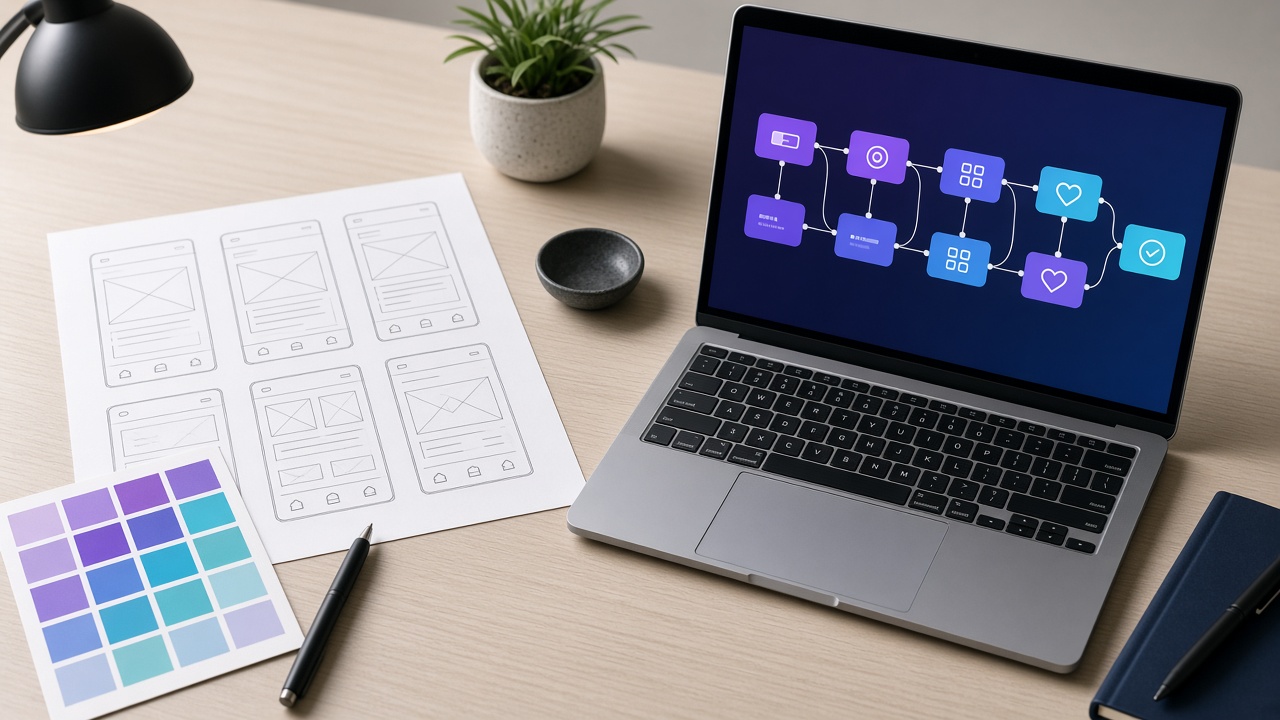
Reviewing a design in isolation, screen by screen, misses problems that only appear when a visitor moves through a full journey: a confusing transition between two otherwise well-designed pages, a lost sense of progress across steps, or a dead end where a visitor cannot easily find their way back. Testing complete journeys, not just individual screens, catches these connective problems before a live audience encounters them.
This testing can range from informal walkthroughs with colleagues unfamiliar with the project to structured usability sessions with representative users, depending on the stakes and budget of the project. What matters is testing with people who were not involved in building the design, since designers and stakeholders too familiar with a flow tend to fill in gaps mentally that a first-time visitor cannot.
Meaningful conversion events
A conversion metric should reflect an outcome that actually matters to the business, such as a qualified lead submission or a completed purchase, rather than a superficial metric like a button click that does not reliably indicate genuine interest. Optimizing for the wrong metric can produce a design that technically improves its measured number while making the actual business outcome worse, for example by making a form easier to start but harder to complete meaningfully.
Defining these metrics clearly before a redesign begins, and measuring them consistently afterward, is what separates a genuine conversion improvement from an assumption based on how a new design merely looks. Codex Thrill works with clients to agree on these definitions early, so that any claimed improvement after a design change can be checked against real data rather than subjective impression alone.
- Define what outcome actually matters to the business
- Measure consistently before and after a change
- Avoid optimizing for superficial click metrics
Conclusion
Design decisions that reduce friction, clarify priority and respect a visitor's time tend to improve conversion more reliably than surface-level persuasion tactics, and they do so without depending on manipulating a visitor into an action they did not actually want to take. None of this guarantees a specific conversion rate, since that also depends on factors outside design such as pricing, market fit and traffic quality. Codex Thrill approaches conversion-focused design as an ongoing practice of testing, measuring and refining rather than a one-time redesign.
Frequently asked questions
How quickly can a redesign improve conversion rates?
It varies by traffic volume and the size of the change; enough data needs to accumulate before a difference can be considered reliable rather than random variation, which Codex Thrill accounts for when planning a measurement period.
Does improving conversions always mean redesigning the whole website?
Not usually. Targeted improvements to a specific high-traffic page or a problematic form often produce a more measurable and faster result than a full site redesign, and are a reasonable starting point for a limited budget.